
Instant Replies on Facebook are messages sent automatically as your Page’s first response to new messages.
They can be helpful because you are able to send a response automatically to potential clients who message your Facebook Business page, without having to take the time to respond to them manually.
For instance, you could set an auto-response message that says something like, “Thank you for contacting me! I would love to help you look into planning your dream vacation. I will respond to you on Facebook within the next 24 hours. If you need immediate assistance, please feel free to give me a call at 1-xxx-xxx-xxxx or email me…… Thank you!”
Here are instructions on how to turn this setting on and how to set your auto-response message:
How to Set Auto-Responder Messages on Facebook Business Pages:
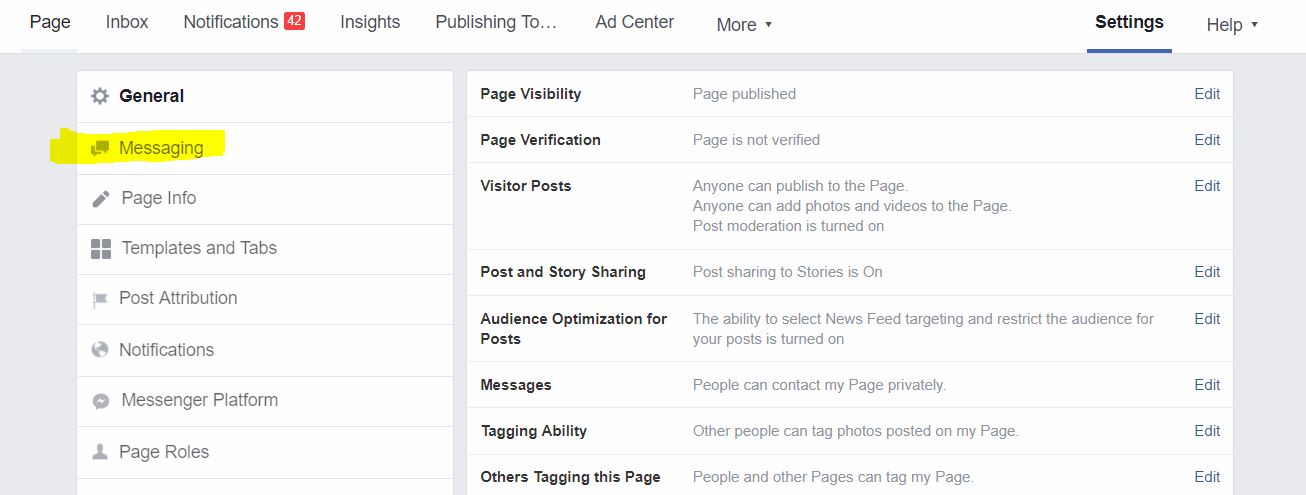
1). From your Facebook Business Page, click on “Settings” at the top right of the screen.

2). Next, click on “Messaging” on the left side of the screen.
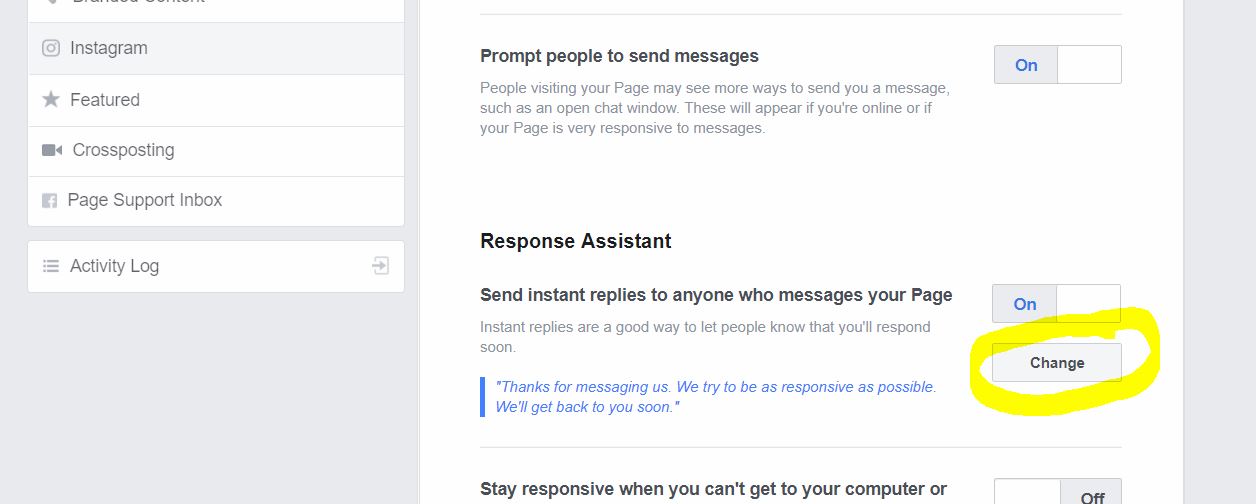
3). Next, scroll down until you see “Response Assistance”. Turn ON the option that says “Send instant replies….”

4). After you’ve turned this option On, you’ll see a default canned message. A “Change” button will appear that you can click to set your own message.
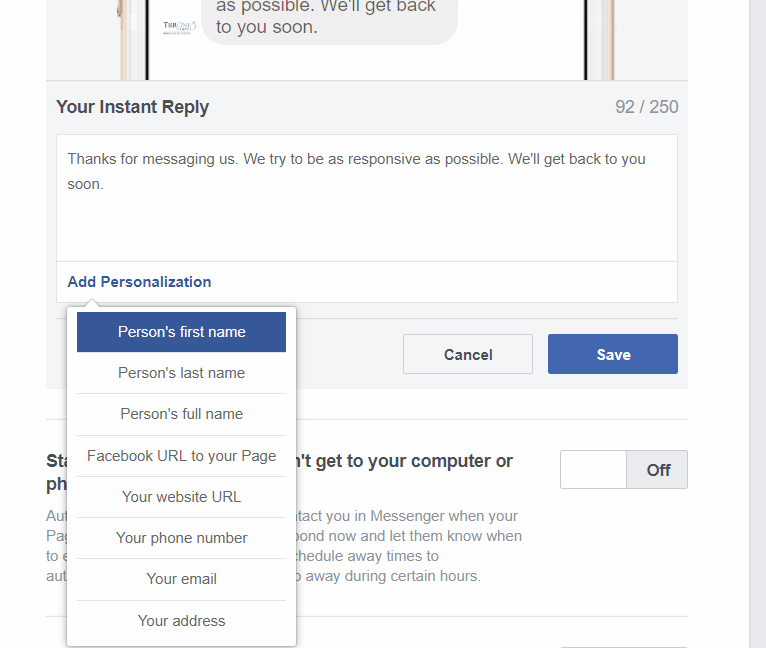
5). If you click “Add Personalization”, you are able to set personalizations to your message, such as including the person’s first and last name.
6). If you’d like to set a greeting that will pop up automatically on Facebook Messenger to people who open a message window with your Business page (even before they send a message to you), you can do so under “Show a messenger greeting”.
Turn this On, then click “Change” and personalize as you like.
An example message would be: “Hello! How can I help you today?”
You can add Personalizations in Greetings just as you can in Auto-Responder messages.

That’s it!
If you have any questions or need assistance, please contact your TierOne Marketing Manager.