
What to do if you purchase Facebook Ads or “boost” a post, but they don’t seem to be displaying to people?
This is more common that you’d think, and it’s a very easy fix!
An issue some new Facebook users run into is that they find their Ads on Facebook not gaining impressions (views) and thus, they’re not being charged.
Often, this is due to the fact that you have hit your Account Spending Limit.
What is an Account Spending Limit?
An account spending limit is an adjustable lifetime limit on the amount your Facebook ad account can spend across all the ad campaigns you’re running from the time the limit is set.
Why would I set an Account Spending Limit?
Setting an account spending limit can be a helpful way to control your costs and to make sure that you don’t spend more on ads than you’re comfortable with.
What happens when I reach my Account Spending Limit?
If you set an account spending limit, your ads will turn off when your limit is reached, so your ad account will stop spending money.
If your ads aren’t showing impressions, this is often the case why.
Facebook does alert you when you’ve reached your spending limit, but it can be easy to miss.
How do I reset my Account Spending Limit?
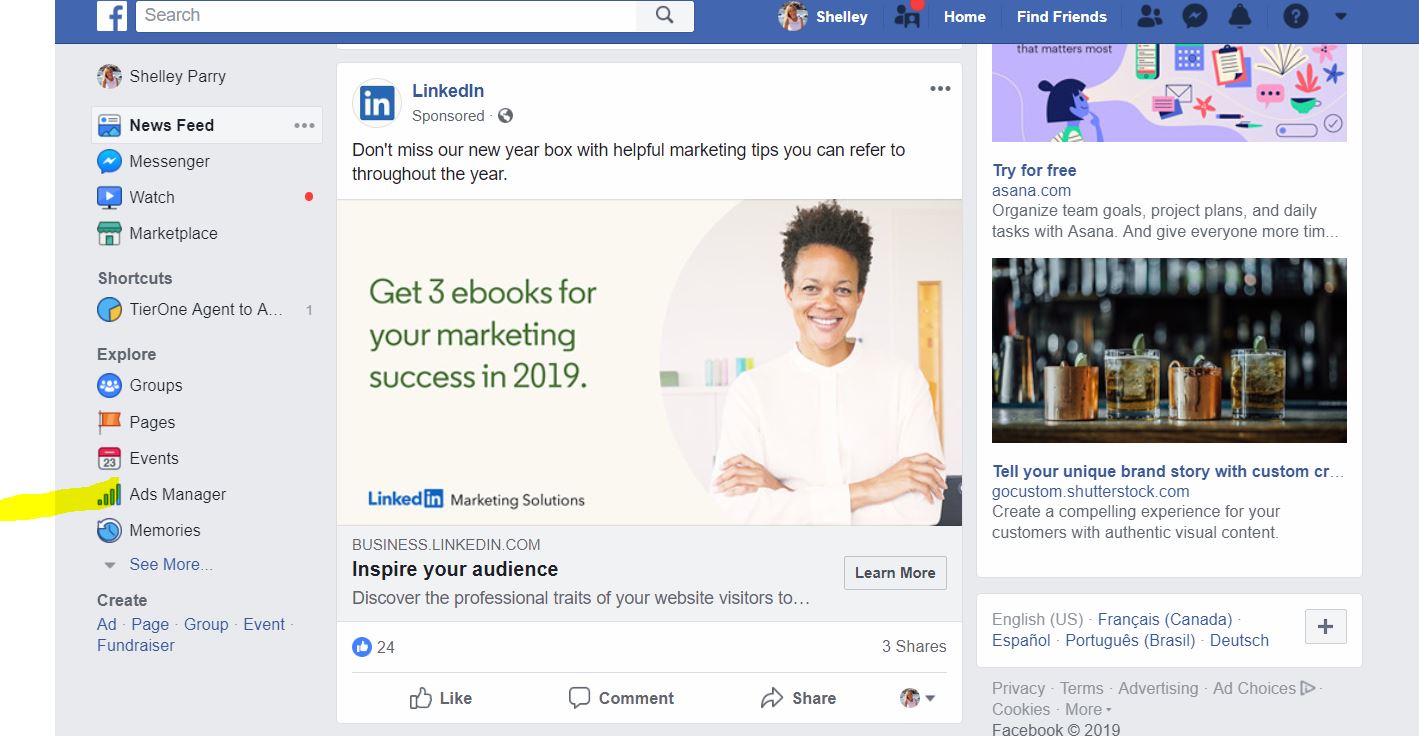
1). Once logged into Facebook, make sure you’re on the “home” page (news feed).
2). Then, on the left sidebar, under Explore, click Ads Manager
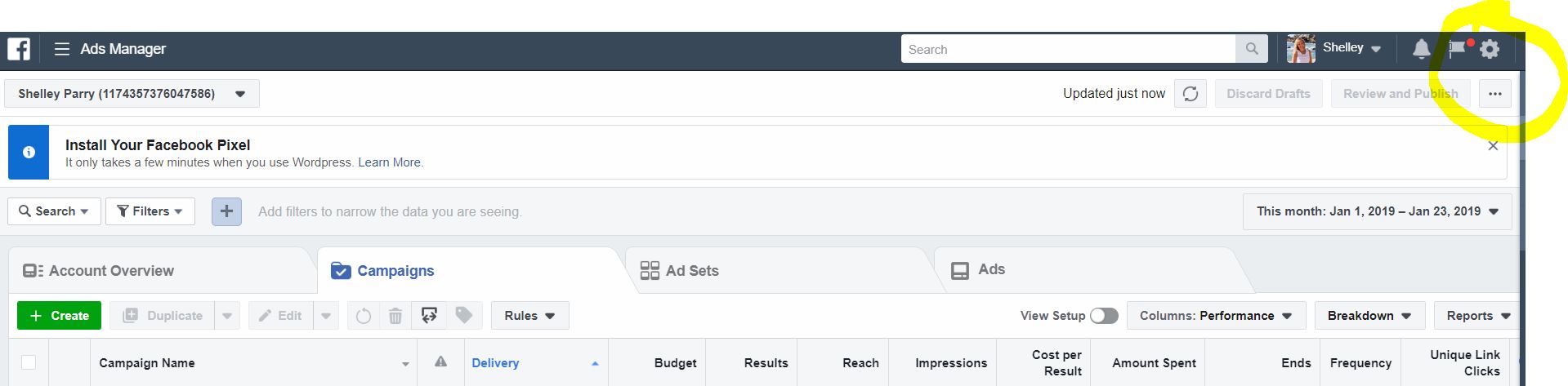
3). Once Ads Manager opens, click the gear icon at the top right side of the screen.
4). Next, click on Payment Settings.

5). Your options to set, change or reset your account spending limit will be on this page.

That’s it!
If you have any questions or need assistance, please contact your TierOne Marketing Manager.